The Blood of Dawnwalker PC System Requirements
PC specs for The Blood of Dawnwalker: Steam min and recommended, the native 4K tier sheet, DLSS/FSR/XeSS, no Denuvo, and launch-week stutter workarounds.
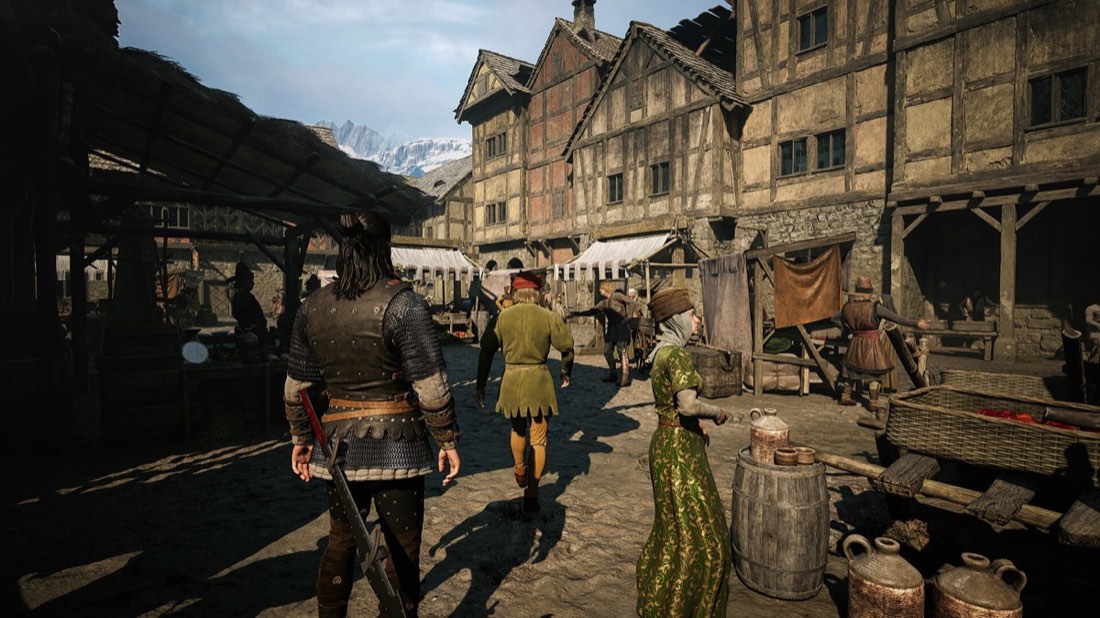
Image: Rebel Wolves / Bandai Namco Entertainment
The Blood of Dawnwalker is an Unreal Engine 5 open-world RPG, and its PC demands are refreshingly reasonable at the entry level: a GTX 1060 and 16 GB of RAM clear the minimum bar, while an RTX 4060-class card hits the recommended tier. You’ll need 60 GB of SSD space, and there’s no Denuvo on the PC build.
The game launched on September 3, 2026, so below the published specs you’ll now find how it actually behaves — including the two stutter problems Rebel Wolves has acknowledged and the workarounds the studio itself recommends.
Official Steam requirements
| Minimum | Recommended | |
|---|---|---|
| OS | Windows 10 (64-bit) | Windows 10 (64-bit) |
| CPU | Intel Core i5-11400F / AMD Ryzen 7 2700X | Intel Core i7-11700K / AMD Ryzen 7 5700X |
| RAM | 16 GB | 16 GB |
| GPU | NVIDIA GTX 1060 / AMD Radeon RX 580 | NVIDIA RTX 4060 / AMD RX 7600 XT / Intel Arc B580 |
| DirectX | Version 12 | Version 12 |
| Storage | 60 GB (SSD) | 60 GB (SSD) |
Notable: 16 GB of RAM at both tiers, DirectX 12 required, and Intel Arc getting an explicit mention in the recommended row.
Extended performance tiers (native, no upscaling)
In late June, Rebel Wolves published a more granular multi-tier sheet. Two things to know about it: all figures were measured natively, without upscalers or frame generation, and its entry tiers don’t perfectly match the Steam min/rec above (the sheets were published separately — where they differ, treat Steam as the storefront-official floor).
| Target | CPU | GPU |
|---|---|---|
| 1080p / 30 fps, Low | Core i7-8700K / Ryzen 7 3700X | RTX 3050 / GTX 1070 / RX Vega 56 / Arc A580 |
| 1080p / 60 fps, High | Core i5-13600 / Ryzen 9 7900X | RTX 5060 / RX 6800 XT (12 GB VRAM class) |
| 1440p / 60 fps, High | — | RTX 4070 Ti / RX 7800 XT |
| 1440p / 60 fps, Ultra | — | RTX 4080 / RX 7900 XTX |
| 4K / 60 fps, Ultra (native) | — | RTX 5090 (16 GB VRAM class) |
That 4K row deserves context: an RTX 5090 for native 4K/60 Ultra sounds brutal, but remember these are no-upscaler numbers. With DLSS or FSR enabled — both in the shipped build — 4K on far more modest hardware is the realistic path, as with most UE5 releases.
DRM, upscalers and display features
- No Denuvo. Rebel Wolves said the PC version would skip Denuvo anti-tamper entirely, and the shipped Steam page carries no third-party DRM notice. No anti-cheat either — it’s a single-player game.
- Upscalers: DLSS and FSR are in, and XeSS is available too — it’s what handheld testers used on Intel and AMD portables.
- Display: ultrawide and HDR support and fully rebindable controls have been reported for the PC version.
- Steam features: 46 achievements, full controller support (gamepad recommended), Steam Cloud, and Family Sharing. Shipped Steam categories also list Trading Cards, Save Anytime, Adjustable Difficulty, Custom Volume Controls and Steam Input API support. DualSense support was not there at launch — it arrived in hotfix 1.0.3 on September 4.
- GeForce NOW support was confirmed from launch day, announced August 27.
How it actually runs (as of September 9, 2026)
Reviews were broadly positive, but technical roughness — minor bugs, performance drops, clunky animations — was the most consistent criticism across outlets. PC optimisation complaints were also part of why Steam’s rating sat at 74% “Mostly Positive” on launch day; it recovered to Very Positive, around 84% of 14,700 reviews, by September 8.
Rebel Wolves published these known issues alongside the launch hotfix, verbatim, with its own workarounds:
- Game stuttering when in Windowed / Borderless mode — “workaround: please try launching the game in Full Screen.”
- Game crashing on compiling shaders — “fix: please check if your BIOS is up to date.”
- Missing option of mapping buttons on a PS5 gamepad.
As of September 9, none of those three has been patched out. Rock Paper Shotgun reported on September 4 that the developers are still working on fixes for the stuttering, the PlayStation button mapping and shader compilation.
Patches so far:
- Hotfix 1.0.2 (September 3, PC) — quest fixes (Farkas now talkable after killing the NPCs around him, Lunka no longer gets lost in the tutorial, the Uriashi blacksmith can craft a certain holy sword) plus “adjustments to controller dead zone and input issues while sprinting.”
- Hotfix 1.0.3 (September 4, PC) — one change: DualSense support on Steam.
Settings guidance (from TwistedVoxel’s testing, not a first-party recommendation): shadows and lighting are the heaviest settings, and dropping them to Low is the single biggest win. Textures can stay high because texture quality is VRAM-bound rather than GPU-bound; reflections at Medium, post-processing and effects at High. Use DLSS on NVIDIA, FSR otherwise.
One caveat worth being straight about: no reputable outlet has published a verified 8 GB VRAM preset with measured numbers. The benchmark sites doing per-setting testing block automated retrieval, so the specific percentage gains circulating for individual settings are unverified.
Handhelds
RPG Site tested the full shipped game across three portables, and the bottleneck turned out to be system memory and allocation rather than GPU power:
- Steam Deck — not playable. It “cannot maintain 30fps at all” and regularly drops below 20 fps in open areas, even at the lowest preset at 720p. The recommendation is to wait for patches or stream it via remote play.
- ROG Ally (Z1 Extreme) — borderline. Low preset, 720p, XeSS. A 4 GB GPU allocation manages 30–40 fps in early areas but hits memory limits; 6 GB is playable but demanding. Random cutscene freezes of 5–10+ seconds were observed.
- MSI Claw 7/8 AI+ — the best result, “quite playable.” Lowest preset, XeSS Balanced, 1080p at 30 W gives 30–50 fps depending on location, helped by 32 GB of RAM (the game allocates 26 GB) and native XeSS on Intel hardware.
Still unannounced
Two PC details remain genuinely unpublished: Steam Deck verification (Valve has issued no rating, though the measured performance above tells you what you need to know) and ray tracing specifics. Photo mode has never been confirmed either way.
Two pre-launch open questions are now moot rather than answered: regional unlock times and a preload window were never officially published before release, and the game has been out since September 3.
Next steps: compare the four editions before you buy, check the platform and feature FAQ for Game Pass and difficulty questions, or see exact release times by region.
Frequently asked questions
Can my PC run The Blood of Dawnwalker?
The Steam minimum asks for an Intel Core i5-11400F or Ryzen 7 2700X, 16 GB RAM and a GTX 1060 or RX 580, with 60 GB of SSD space. Recommended is an i7-11700K or Ryzen 7 5700X with an RTX 4060, RX 7600 XT or Arc B580.
Does The Blood of Dawnwalker use Denuvo?
No. Rebel Wolves said the PC version would skip Denuvo anti-tamper, and the shipped Steam page carries no third-party DRM notice. There is no anti-cheat either — it is single-player.
Does The Blood of Dawnwalker support DLSS and FSR?
Yes, and XeSS too — handheld testing of the shipped game runs on XeSS. The published performance tiers were measured natively, without upscaling, so they are a worst case.
Why does The Blood of Dawnwalker stutter on PC?
Rebel Wolves lists two known issues: stuttering in Windowed and Borderless mode, with Full Screen as the official workaround, and crashes while compiling shaders, for which the studio's advice is to update your BIOS. Neither had been patched out as of September 9, 2026.
Is The Blood of Dawnwalker Steam Deck verified?
Valve has still not published a rating, and in practice the game does not run well on Deck: RPG Site's testing of the shipped build found it cannot hold 30 fps and drops below 20 fps in open areas even at the lowest preset at 720p.
How big is the download?
The game requires 60 GB of available space, and the official site specifies SSD storage.